Bar and shop
Products with photos
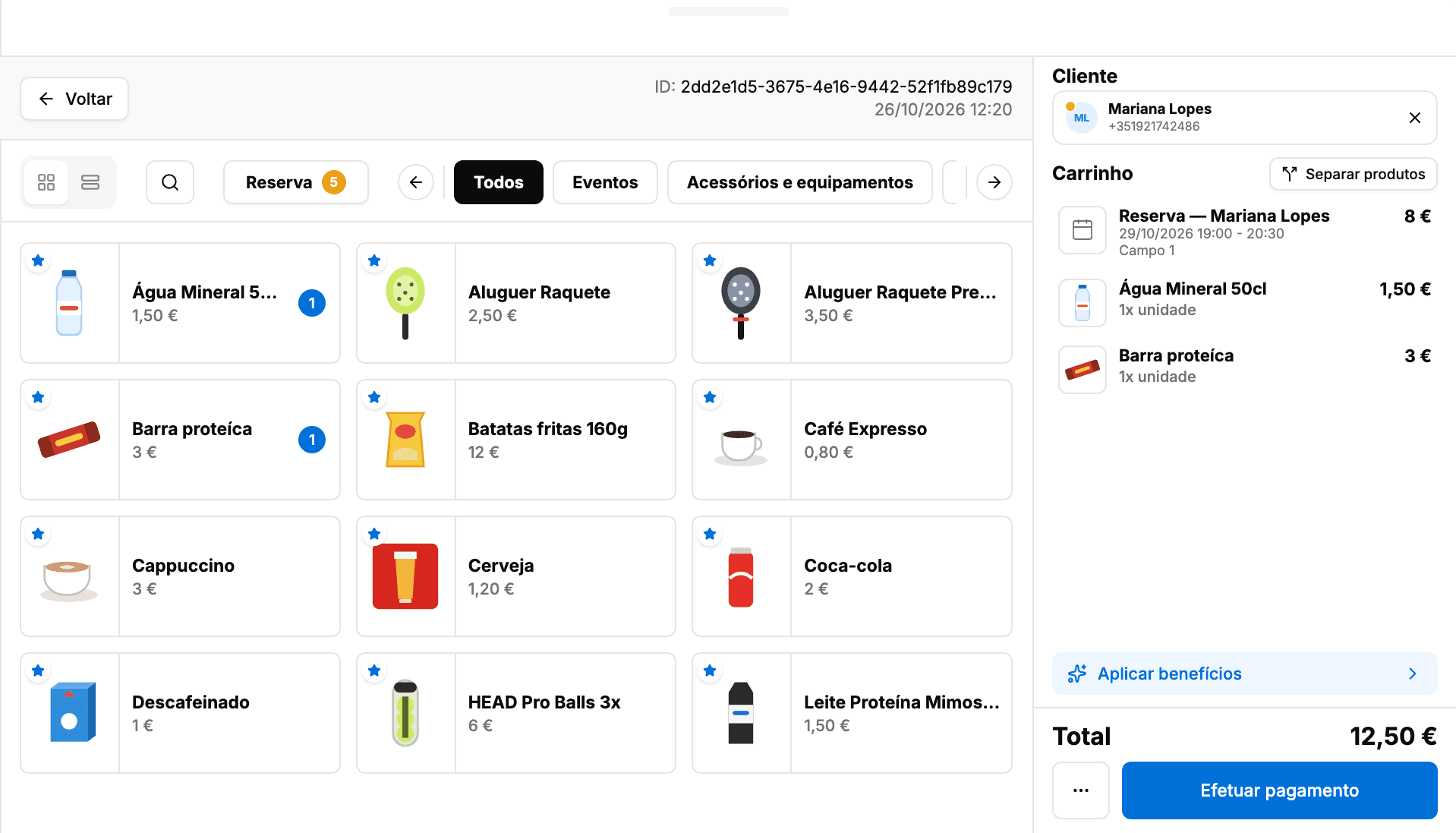
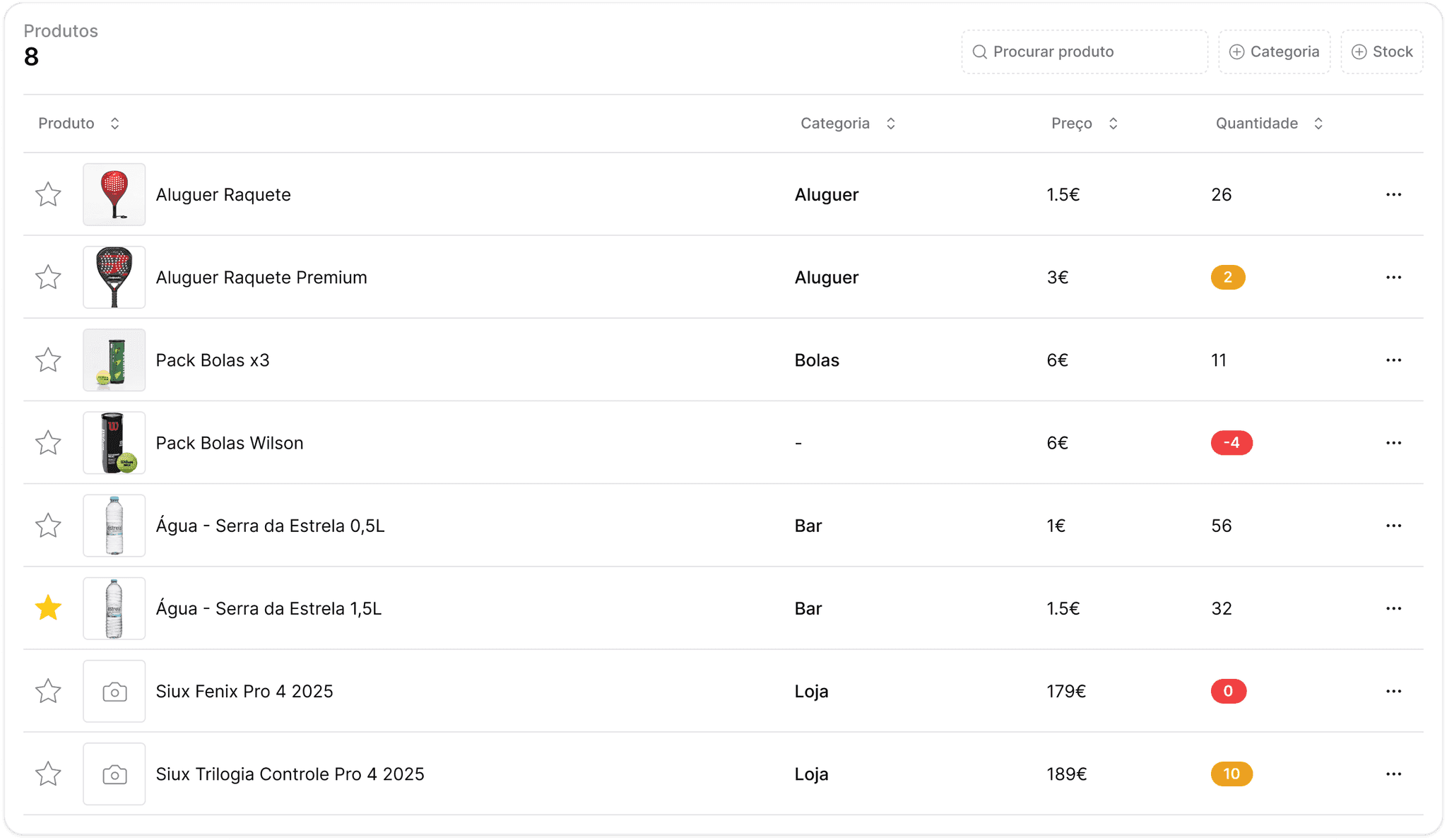
Every product shows its photo, price and category. One tap adds it to the cart, and search finds the rest.

The player's share is already in the cart. Add bar products, apply the member discount, bring in what the other players owe and pay only part of it, just like at the club's front desk.
From the bar to the shop, every sale impacts inventory, cash flow, and reports. Smashpro's POS keeps everything synchronized in real time, so you can track results, avoid errors, and close the day with complete control.
Record all sales directly on the platform, without the need for external tools or Excel spreadsheets.
Your stock is automatically updated every time you register a sale at the POS. No manual counting, no unexpected discrepancies.
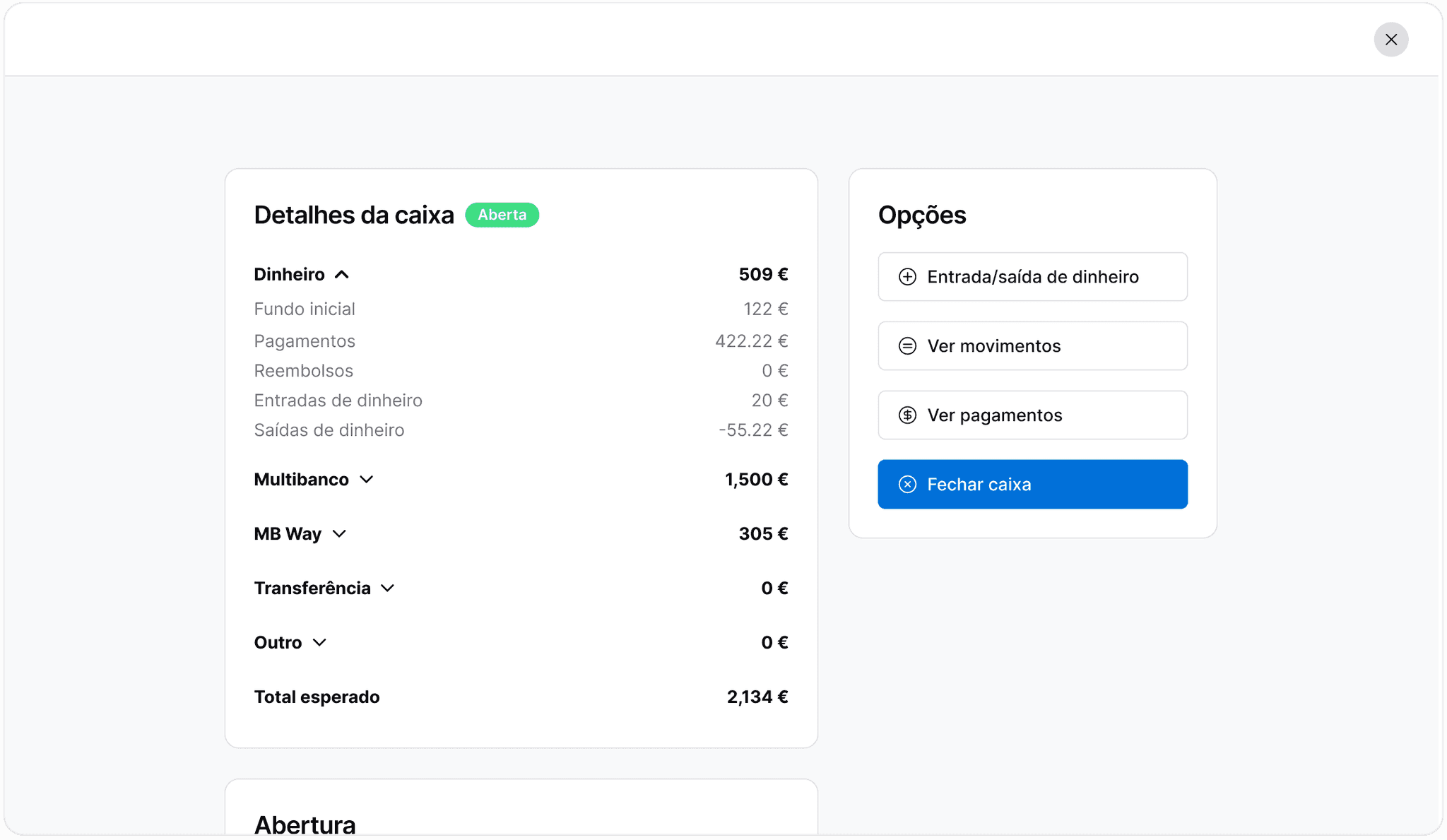
Keep track of all cash inflows and outflows with complete clarity. Every sale, payment, or adjustment is automatically recorded in the system — no manual calculations at the end of the day.
From the bar to the shop to paying for bookings: what the POS does for you on every sale.
Bar and shop
Every product shows its photo, price and category. One tap adds it to the cart, and search finds the rest.
Payment methods
Pick the method at the end: cash with the change worked out, card (Multibanco), MB WAY, bank transfer or other. The cash register totals each method separately.
Bookings
Open the POS from the booking with the player's share already in the cart. The booking tab shows what the others still owe, and each share joins the cart in one tap.
Loyalty
The client's benefits apply to their share of the booking, right from the cart. The line shows the struck-through price and the benefit's name, and the total updates.
Pay in parts
Choose what gets paid now. The rest is saved as a pending sale for the same client, to pay later.
Discounts
Edit the price of a line or apply a discount to the cart, as a percentage or in euros. The original price stays struck through beside it.
Invoicing
Once the payment goes through, issue the invoice right there and print the receipt. The invoice stays on the sale, ready to download later.
The POS is part of the club management software. Nothing to export or sync: sales show up on the booking, in the cash register and in the reports you already use.
The POS opens from the booking with the player's share in the cart, and the booking and the calendar show straight away who has paid.
Each client's payments, paid and pending, sit on the client's profile; the POS flags who has pending ones and the booking shows what is still owed.
Member benefits apply to the booking share right in the cart, with no sums done by hand.
Every sale lands in the shift's cash register, split by payment method, and takes the products out of stock.
Tournament registrations land in the same cash register as bar sales, and academy revenue counts in the same reports.
Bar and shop sales sit next to bookings, academy and tournaments in the reports, and the invoice is issued at the end of each sale.














Nothing better than seeing for yourself! Fill in the form and we'll show you how Smashpro can transform your club's management.