Groups + playoffs
Torneio
A group stage and, for the qualifiers, a knockout bracket. You choose how many pairs per group and how many go through; the bracket adapts.

The tournament calendar shows your courts and the games still to schedule. Drag a game or a whole round onto a court and a time — scheduled. Try it right here.
Every step that lives in a spreadsheet, a WhatsApp group or a notepad today moves into one place — and players see all of it on the tournament's public page.
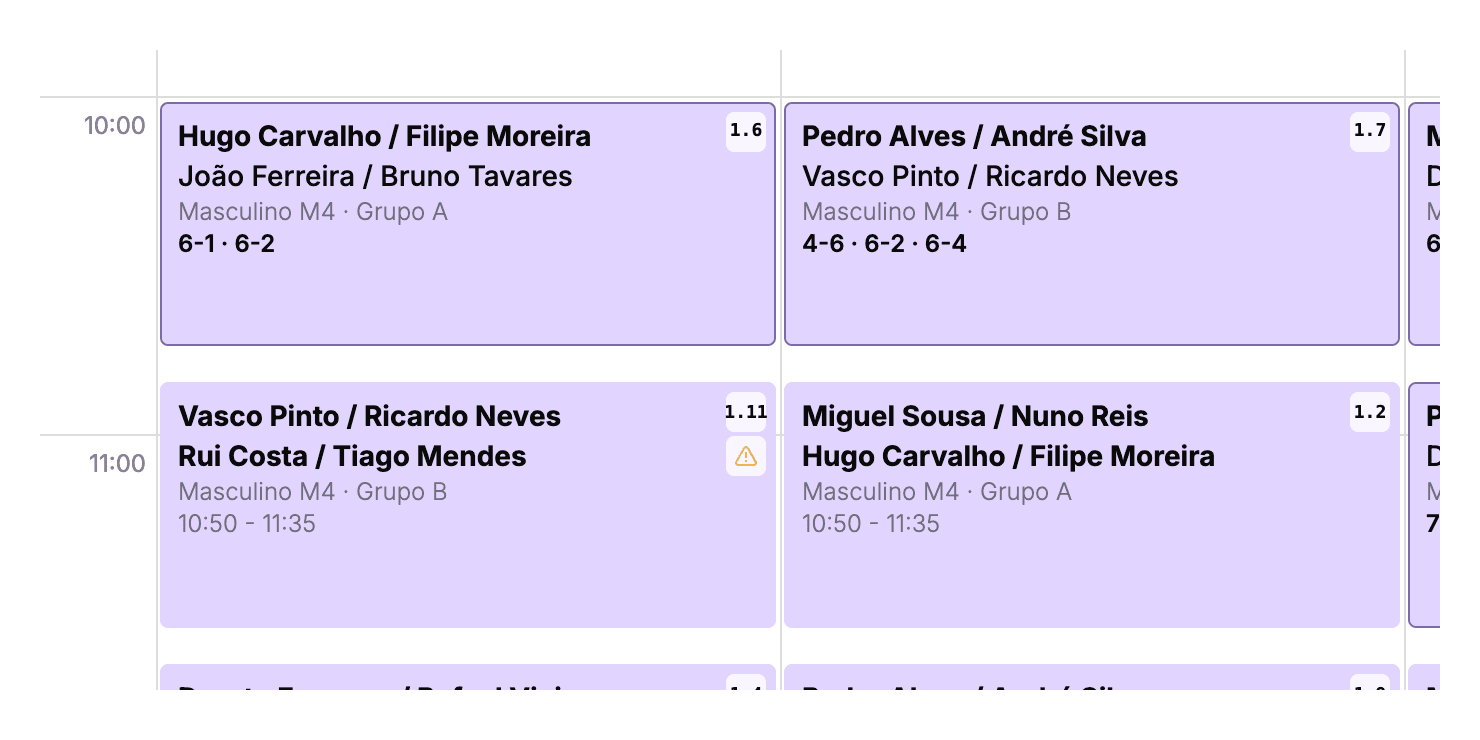
Each game is a lilac card on the court's calendar: both pairs, the category and group, the time and the game number. When a game ends, the score shows on the card; while it is on, the outline pulses blue. You tell tournament from bookings at a glance.
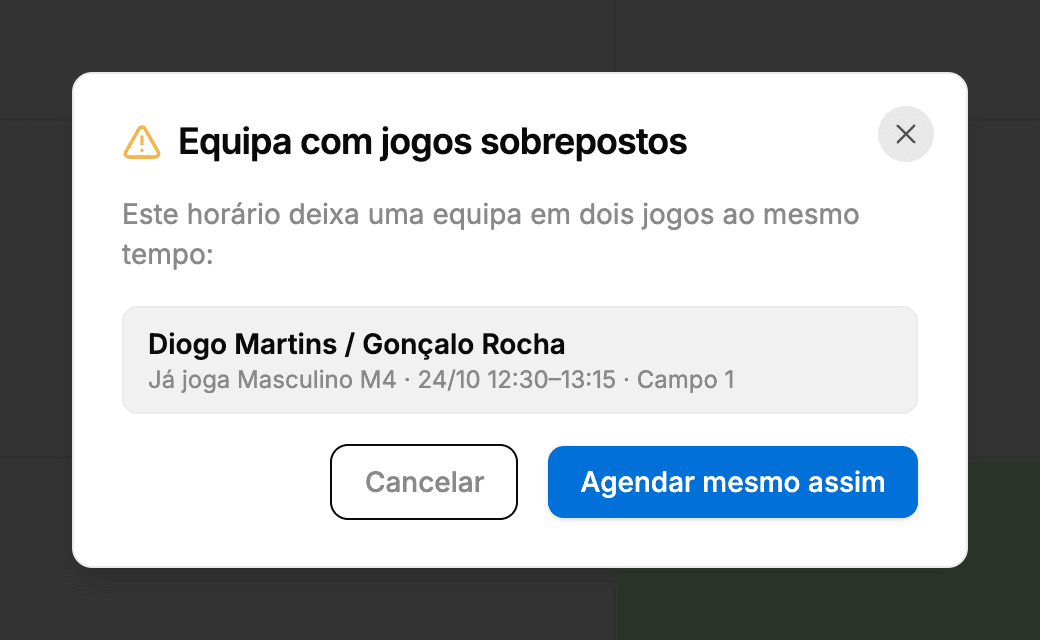
Try to schedule a pair into two games at the same time and Smashpro stops and shows you the clash before saving: who already plays, when and on which court. Cancel or schedule anyway — a warning, not a block. The same goes for the unavailability teams declared at registration.
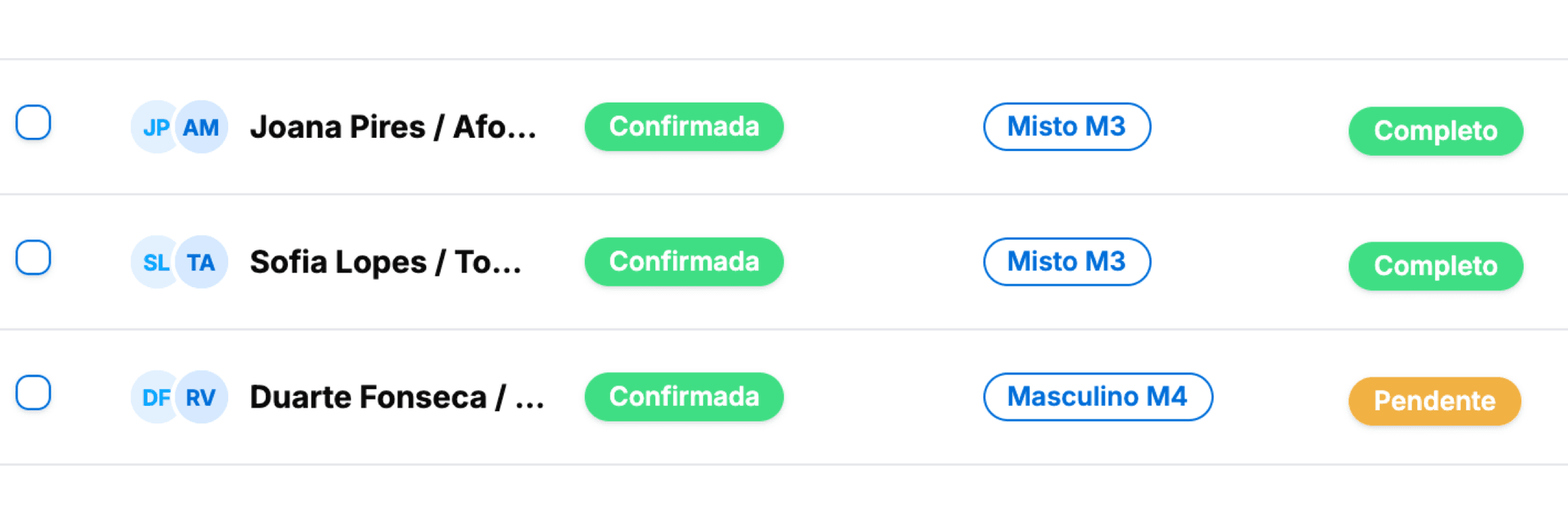
Every team shows its registration status and payment status side by side: confirmed or pending, paid or outstanding. Players pay by MB WAY or card when they register — or at the club — and you mark them paid when the money lands in the till.
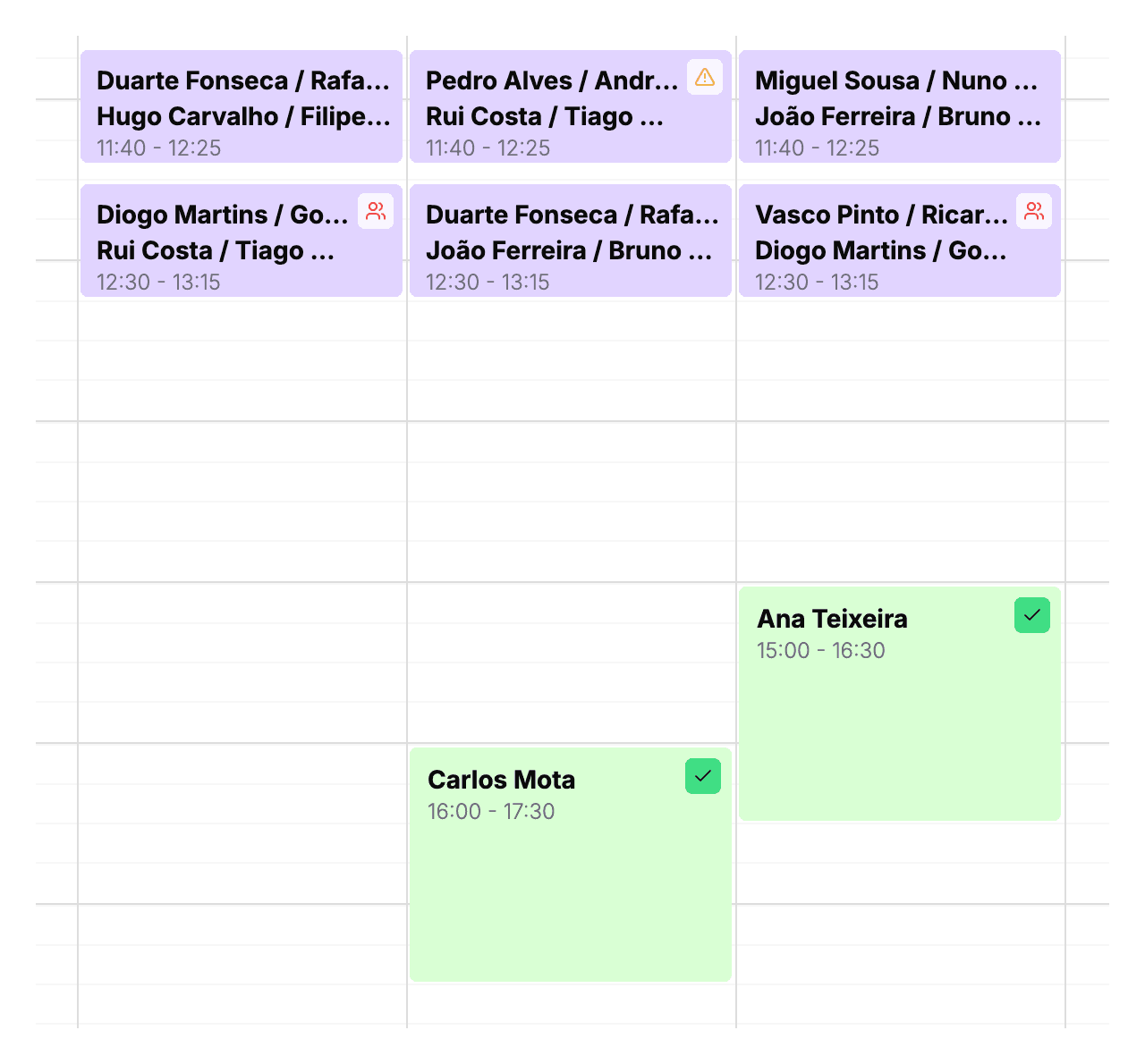
Every scheduled game is also a booking on the club calendar. Courts are blocked for online and desk bookings, regular bookings sit right next to the games, and moving a game moves the booking.
Pick the format and Smashpro draws the groups, the standings and the bracket: who qualifies, from which group, against whom. Results fill the bracket as the games finish.
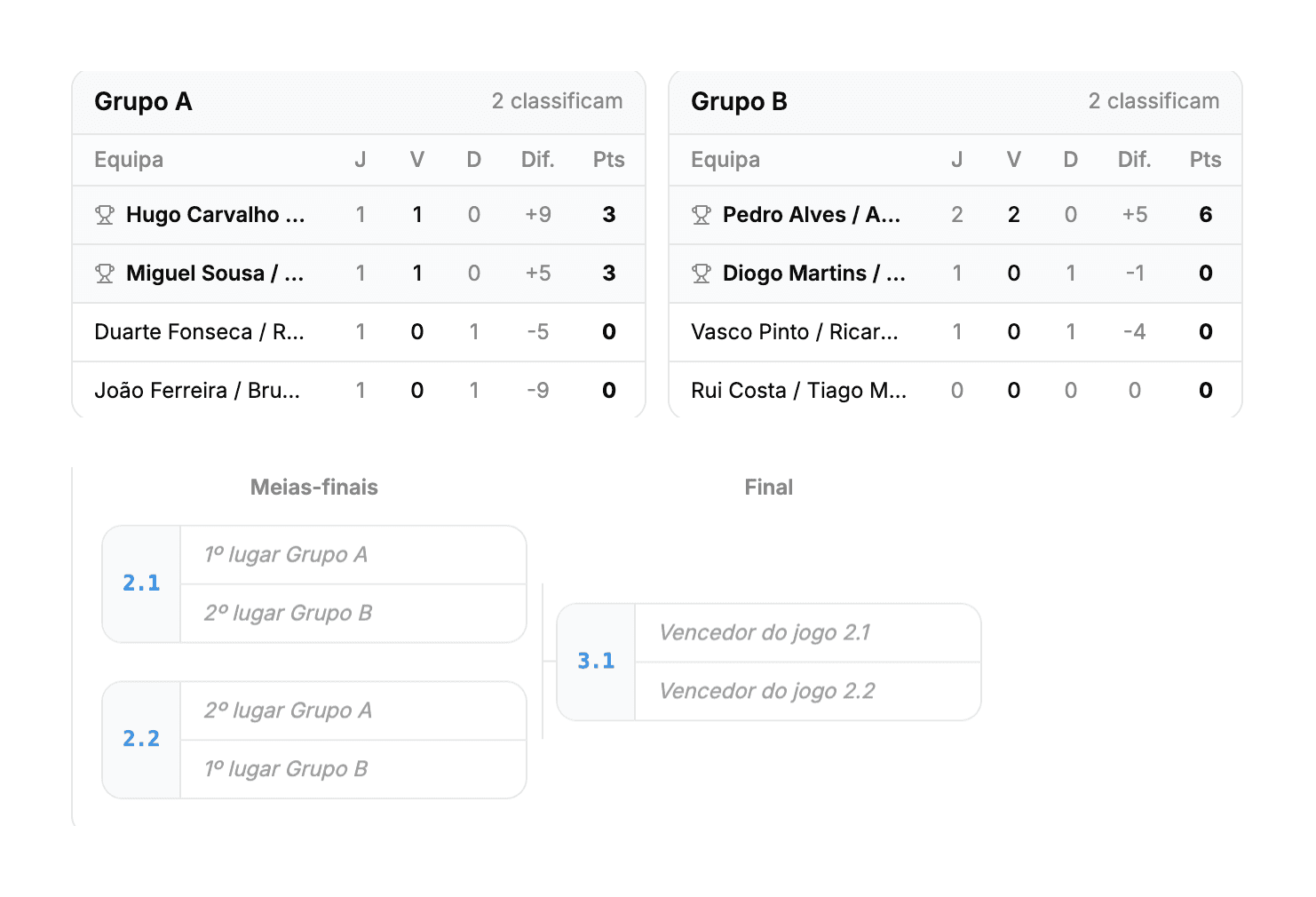
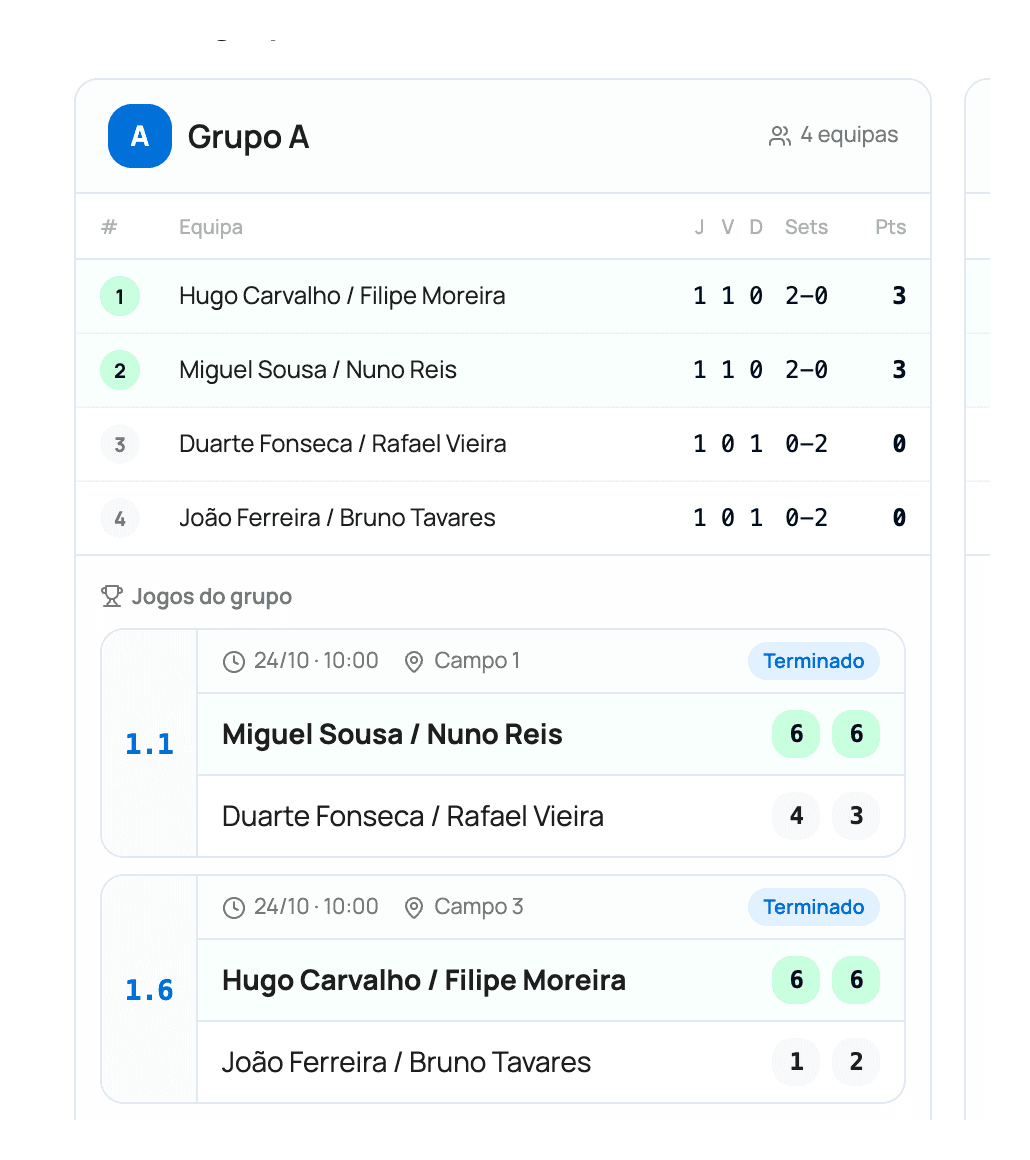
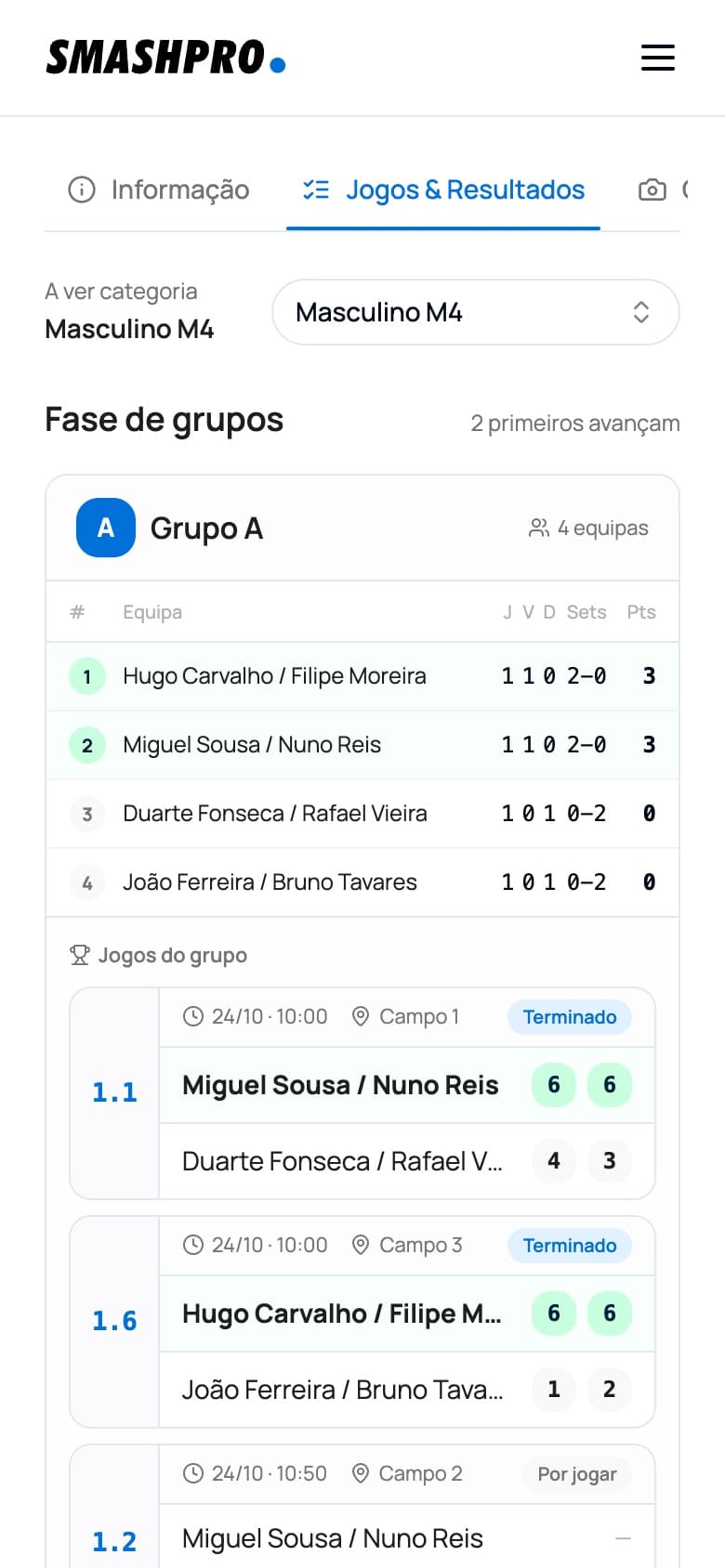
Enter the sets in the manager — or let the court scoreboards do it — and the standings, tie-breaks and bracket update instantly on the public page. Players follow the tournament on their phones; you stop answering “when is my next game?”.
Pick each category's format — Torneio, Americano or Quadros — and set the rules: who can register, what happens when a category fills up and how ties are broken.
Groups + playoffs
A group stage and, for the qualifiers, a knockout bracket. You choose how many pairs per group and how many go through; the bracket adapts.
Round robin
Every pair plays every other pair in its group, with the rounds generated by Smashpro. With several groups, the winners can go on to semis and a final.
No group stage
An upper and a lower bracket, drawn from the confirmed pairs. You choose the bracket size.
In the same tournament
Men's, women's, mixed or by level — each category with its own price per player, pair cap and format, on the same public page.
Registrations
Set when registrations open and close. Once a category is full, further sign-ups go to the waiting list — or are turned down, if you prefer.
Standings
Put the tie-break criteria in your order and Smashpro applies them in every group. Players see the rules on the tournament page.
Access
Limit the tournament to people who are already clients of the club, and decide whether players can cancel their own registration.
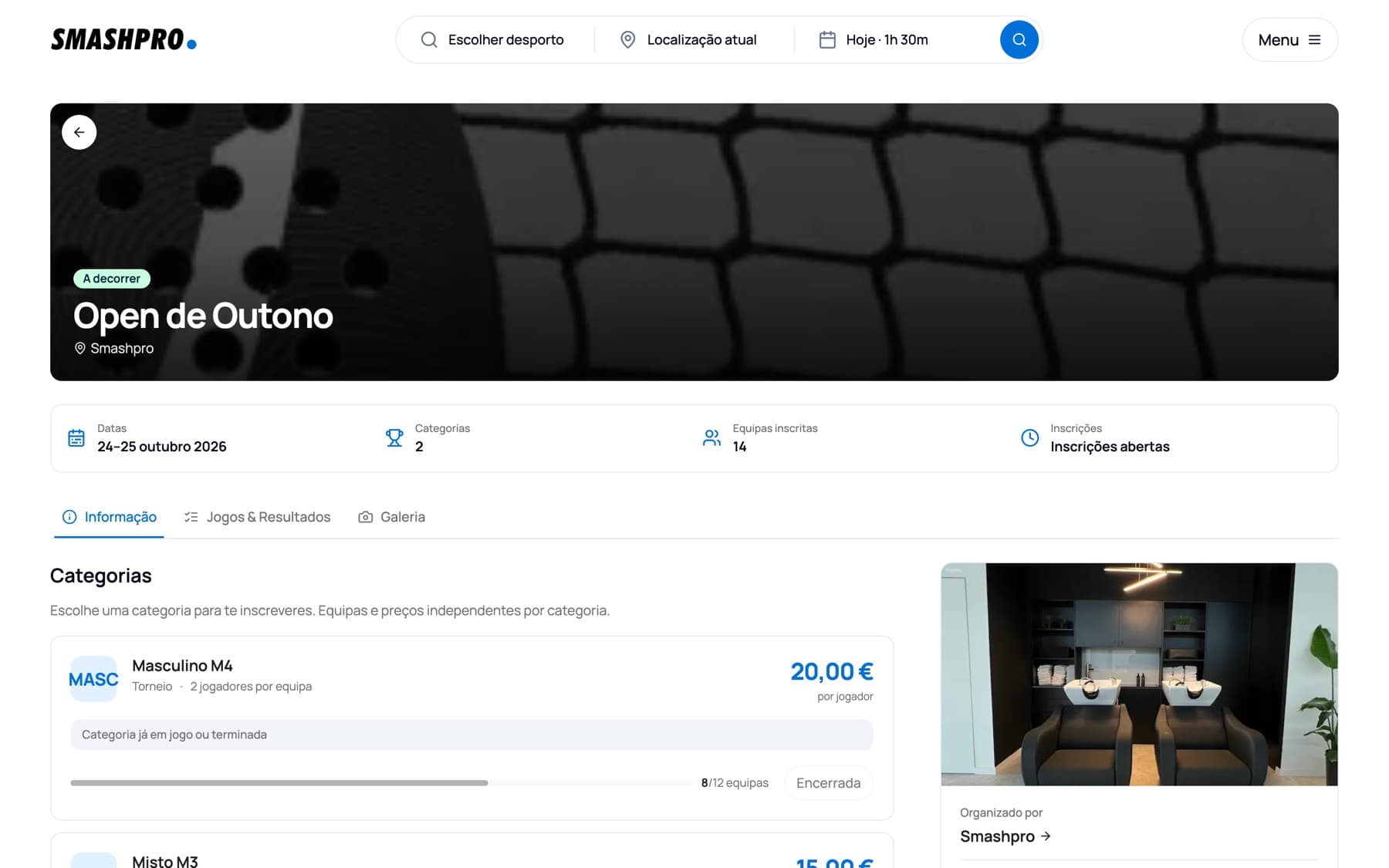
Every tournament you publish gets its own page on the Smashpro marketplace: dates, categories and prices, where and when each pair plays, live results and standings. Players find it in the tournament search, register right there and follow everything in the browser or in the app.
The tournaments module is part of the club management software. Nothing to export or sync: games, registrations and money show up where you already work.
Tournament games block the courts in the bookings calendar — no double bookings, no manual notices.
Send the round to the club's TVs in one click; points scored on court flow into the results.
Registrations paid online or at the desk land in the same till and the same club reports.
Tournament revenue sits next to bookings, academy and shop in the financial reports.
Registration confirmations, payment reminders and change notices go out to players without you writing them.
Every tournament has its page on the Smashpro marketplace, linked from the club's page and indexed by Google.
Nothing better than seeing for yourself! Fill in the form and we'll show you how Smashpro can transform your club's management.