
Multi-club management for padel club groups
Management software for anyone running two, three or ten padel clubs. Switch on multi-club mode and see the whole group from one account: revenue, occupancy, academy, store and clients side by side, without giving up the management of each club.
One switch, two views
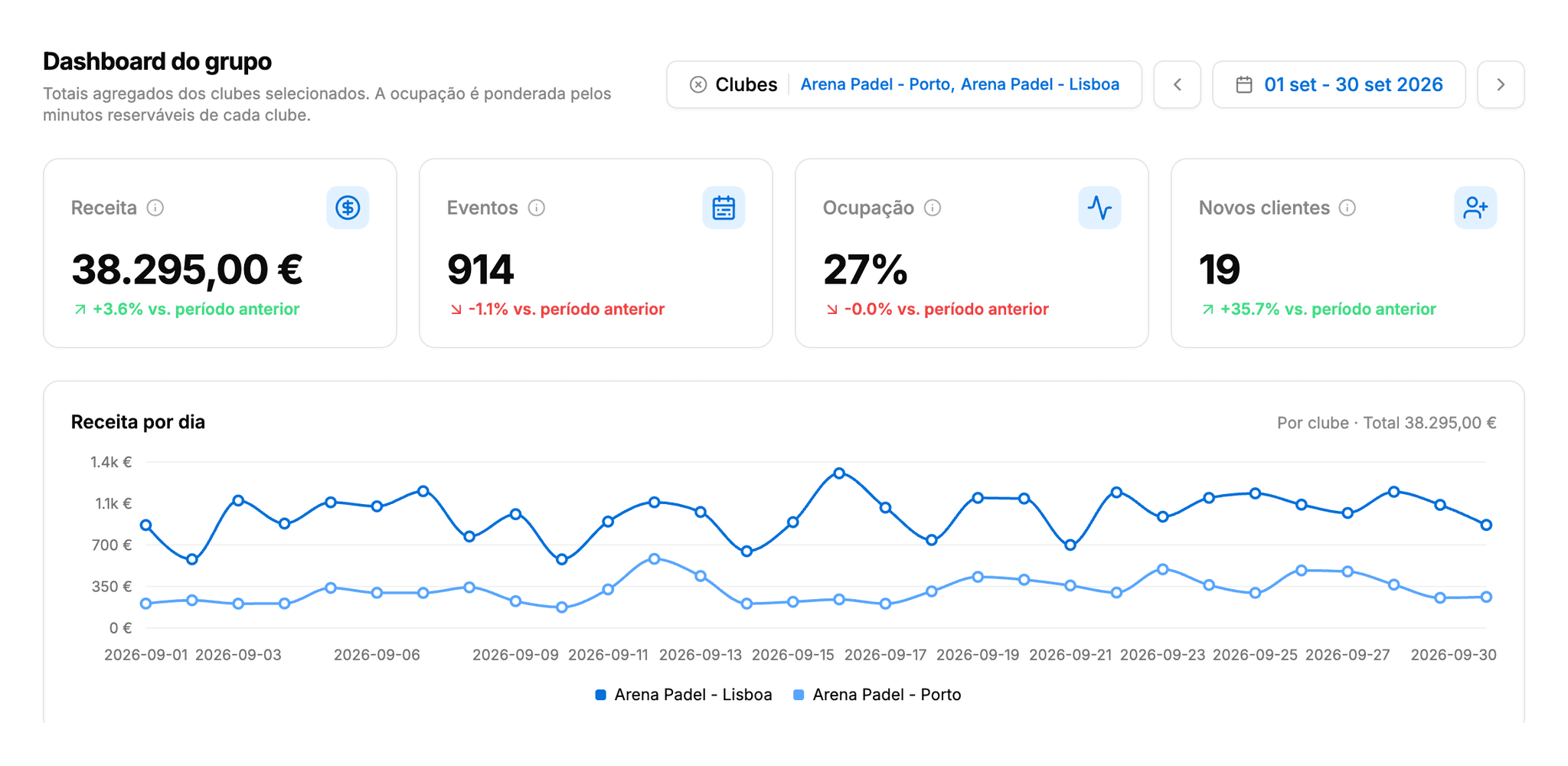
Multi-club mode doesn't change club: it changes the scope of what you see. This is a slice of Smashpro Manager on made-up data. Play with it.
- Try it
- Turn on the multi-club view in the club menu
- Open Clients and spot the new column
- Open the group Reports
Dashboard
Revenue
€29,900
+10.7%vs. previous month
Bookings
700
+12.9%vs. previous month
Occupancy
30%
+3.0 ppvs. previous month
New clients
13
+44.4%vs. previous month
Revenue by day
The group reports
Fifteen reports, all with the same club filter and the same date range. Pick one and drop clubs from the comparison.
Revenue by month, club by club
The group dashboard adds up the KPIs and draws one line per club. You see at once who grows, who stalls, and when.
- Total
- €331,000
Built for people who run more than one club
Each club stays its own club: data, permissions and staff don't mix. The group is a view on top.
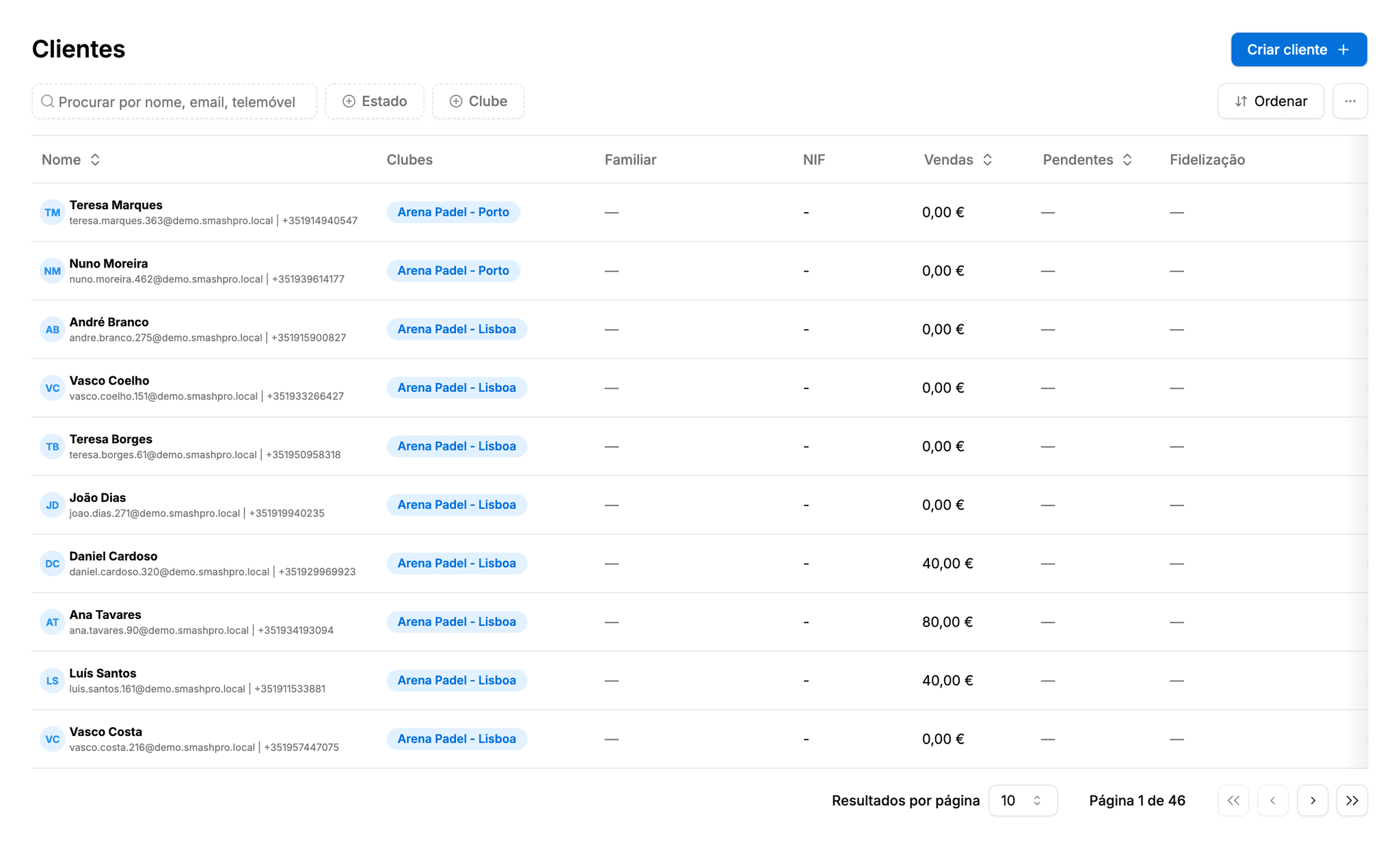
Clients across every club
The client list shows where each person plays. A client created in Lisboa who books in Porto counts at both, with no duplicate records.
- A "Clubs" column and a club filter on the list
- People counted once across the group
- CSV export with each person's clubs
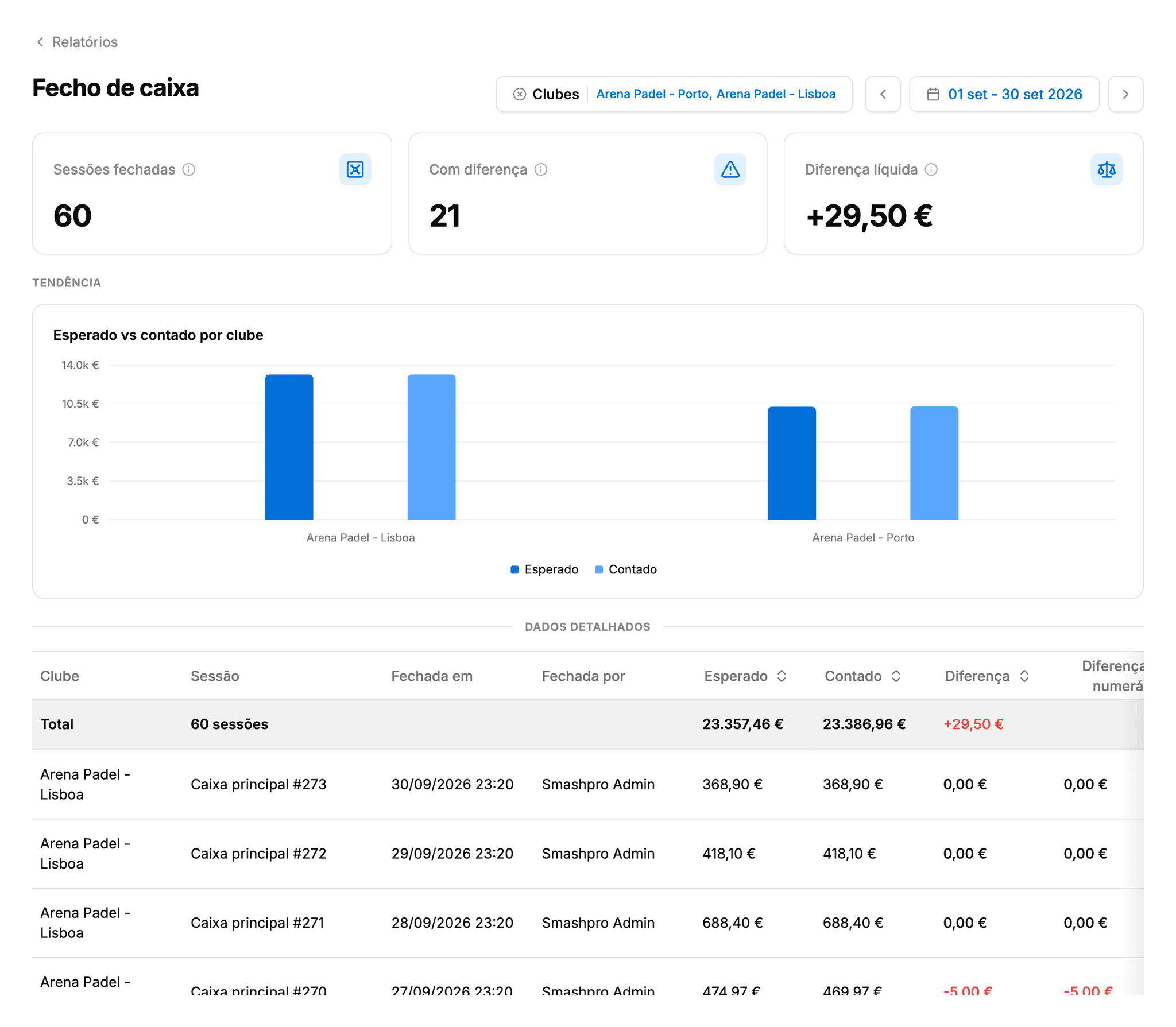
Cash drawers compared
Expected and counted for every drawer session, per club. A club whose drawers never balance is the first thing you want to see.
- Sessions with a difference and the net difference
- Cash difference on its own
- Who closed each session
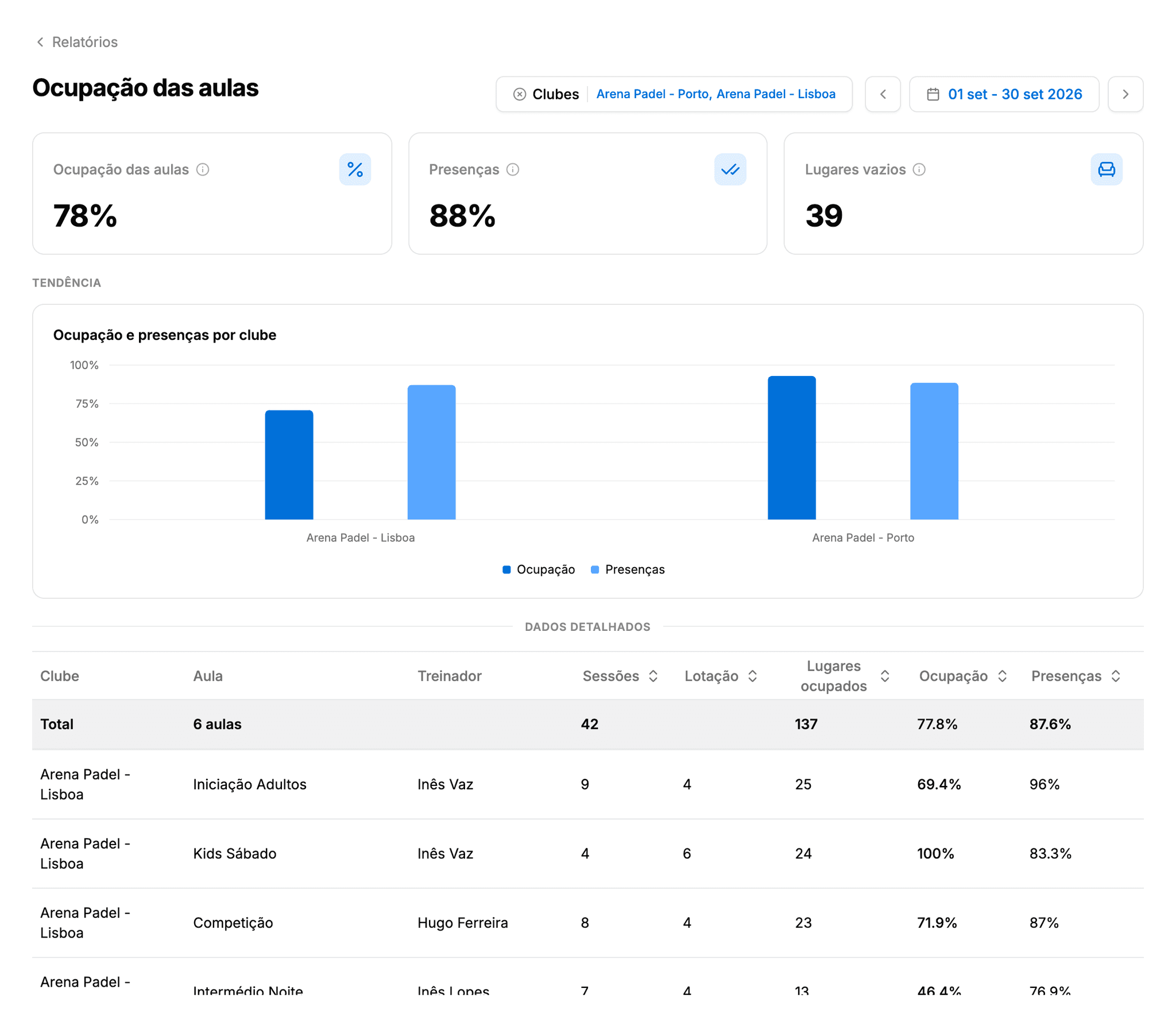
An academy with no empty seats
Fill rate and attendance for every class at every club, and the packs with lessons still owed: the commitment you've already charged for.
- Fill rate per class and per coach
- Attendance as present over present plus absent
- Packs sold versus lessons booked
The fifteen reports
All with the club filter and the dashboard's date range. The totals row at the top of every table adds up the selected clubs.
Finances
- Revenue by stream
- Payment methods
- Pending and refunds
- Cash drawer
Bookings
- Bookings by channel
- Occupancy by club
- Tournaments
Academy
- Coaches
- Class fill rate
- Lesson packs
Clients
- Clients overview
- Retention and value
Store
- Sales by category
- Top products
- Stock on hand
Frequently asked questions
Would you like to see how it works?
Nothing better than seeing for yourself! Fill in the form and we'll show you how Smashpro can transform your club's management.